What Languages Are Used in Android App Development? Choosing Between Kotlin and Java
Published:
Last Updated:
Published:
Last Updated:
Category: Marketing DX
Authors: Shusaku Yosa
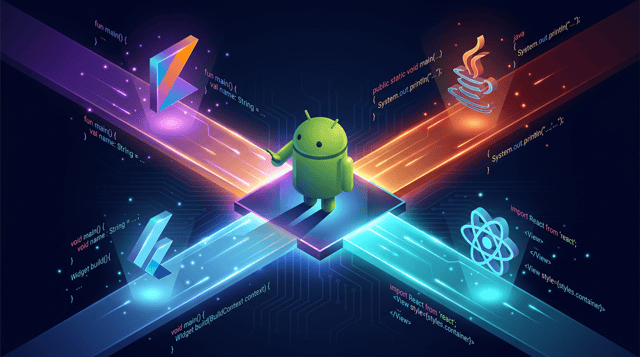
When you set out to start Android app development, the first thing you must decide is "which programming language to write in." Android development today is dominated by two languages, Kotlin and Java, and there is also the option of cross-platform development. This article organizes the languages used in Android app development and then explains, by purpose, how to choose between the mainstream Kotlin and Java in an easy-to-understand way.
There is more than one way to develop an Android app. First, let's grasp the overall picture of which languages are used. They broadly split into two streams: "Android native development" and "cross-platform development."
When developing an Android-only app (a native app), the central languages are Kotlin and Java. Both are officially supported by Google, and you develop using the integrated development environment (IDE) called Android Studio. Java was long the standard language originally, but in 2017 Google adopted Kotlin as an official language, and in 2019 it announced a "Kotlin-first" policy. In new development today, Kotlin has become the mainstream.
If you "want to build an app that runs on both Android and iPhone from a single codebase," cross-platform development is an option. Representative examples include Flutter, developed by Google (its language is Dart), and React Native, developed by Meta (its language is JavaScript/TypeScript).
However, if you "want to fully use Android's features" or "want to learn one OS in depth first," native development (Kotlin/Java) is the basis. From here, let's look in detail at how to choose between the mainstream Kotlin and Java.
Kotlin is a programming language developed by JetBrains. While maintaining 100% compatibility with Java, it is designed to be written more concisely and safely, and it has become the de facto standard language in Android development today.
Because it is a relatively new language, the accumulated volume of information and older explanatory articles is smaller than for Java. Even so, learning materials have rapidly expanded in recent years, so it is unlikely to be a major obstacle for those learning from now on.
Java is a long-established language that appeared in 1995 and was used as the standard language for a long time from the early days of Android. Many Android apps written in Java still run today, and its strengths are its legacy assets and the abundance of information.
Compared with Kotlin, the same processing tends to be more verbose to write. Also, because the mechanism for preventing Null-related errors is weak at the language level, you need to write carefully. The fact that Google's latest samples are centered on Kotlin is also a factor that can make information feel harder to find for new learners.
The two are compatible, so "you can build Android apps with either," but they differ in writing style and design philosophy. The main differences can be organized as follows.
In conclusion, if you are learning Android development from now on, Kotlin is the first choice. However, depending on the situation, Java may be more suitable. Let's organize the choice by purpose.
If you are starting Android development newly, there is no problem choosing Kotlin without hesitation. Because Google recommends it and new information is provided on a Kotlin-first basis, the knowledge you learn applies directly to the latest development. Its simple syntax, which makes it less likely for beginners to stumble, also makes it excellent as a first language.
If you are taking over an app already built in Java, or your team operates in Java, you need Java knowledge. It is realistic to align with the existing on-site code, and there is no need to forcibly migrate to Kotlin.
If you have Java experience, you can continue developing in Java by leveraging that knowledge, and migrating to Kotlin is also easy. Because Kotlin can be learned on the premise of Java knowledge, the hurdle to acquire it is low. In the long run, shifting toward Kotlin is a choice that also aligns with Google's policy.
The languages used in Android app development are mainly Kotlin and Java for native development, and if you aim to cover both OSes, there are also options such as Flutter (Dart) and React Native (JavaScript). The basic framing is: for native development, Kotlin (recommended by Google) is the first choice when learning from now on, and Java when handling existing Java assets.
You can start developing with either language for free in Android Studio. First, clarify your purpose (new development or modifying an existing app) and start building from a small app in the language suited to it.
Find more of our articles on Google

How to design a marketing team's task management so work doesn't get trapped with one person. Covers where knowledge sil...

The ten columns a campaign progress tracking sheet needs, and the weekly cycle that keeps it updated. Covers who updates...

How to build a task or kanban board, focused on column design and WIP limits. Covers the principle that columns represen...


