What Is a PWA? How It Works, Benefits, and the Difference from Apps, Explained Simply
Published:
Last Updated:
Category: SEO & Content
Authors:
Published:
Last Updated:
Category: SEO & Content
Authors:
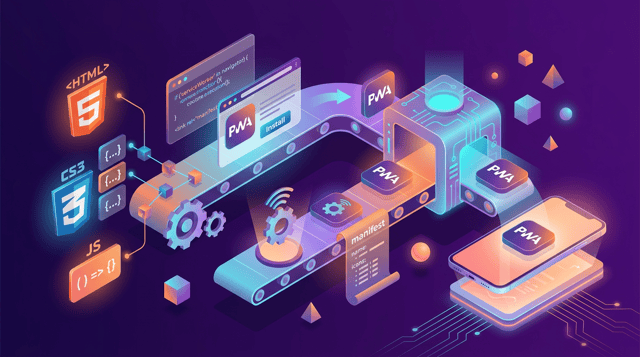
Now that smartphone use has become the norm, the "PWA" that lets you use a website like an app is drawing attention. Major services such as X (formerly Twitter) and YouTube have also adopted it, but surprisingly few people can accurately explain "what a PWA is" and "how it differs from a native app." This article clearly explains, for beginners, everything from how PWAs work to their benefits, the difference from native apps, and points to note.
PWA stands for "Progressive Web Apps," a general term for web technology that gives a normal website app-like functions and usability. Built with standard web technologies—HTML, CSS, and JavaScript—it is characterized by providing performance and user experience (UX) close to a native app, even though it is accessed via a browser.
A website that has adopted a PWA becomes able to do things that were previously only possible with apps, such as adding an icon to the home screen, working offline, and sending push notifications. In other words, a PWA can be said to combine the strengths of both a website's "ease of attracting customers" and an app's "ease of use."
PWAs can achieve app-like functions mainly thanks to two technical elements.
By using these two technologies in an HTTPS environment that encrypts communication, a safe and highly reliable app experience is realized. HTTPS is also an operating requirement for PWAs, and it gives users a sense of security on the security front as well.
Indispensable to understanding PWAs is the difference from a "native app." A native app is the so-called typical "app" that you install and use from an app store such as the App Store or Google Play. The main differences between the two are as follows.
The biggest difference is the installation method. A native app requires multiple steps in the app store—"search → download → install"—but a PWA can be added to the home screen with one tap from a button or pop-up on the website. This ease lowers the psychological hurdle of installation and leads to acquiring new users.
Because native apps differ in development language and environment between iOS and Android, in principle separate development is needed per OS. A PWA, being a website, can be developed with common web technologies without having to be conscious of OS differences. As a result, development effort and cost can be greatly reduced.
Native apps require store review (1–3 days on average) every time they're updated, but with a PWA, just updating the server side instantly reflects the latest version to all users. Being able to deliver bug fixes and new features speedily is a major operational advantage.
Native apps are only searched within the app store, but a PWA is indexed by search engines such as Google as a normal website. Therefore, being able to acquire new users from search results and receive the benefits of SEO is also a major difference.
PWAs and native apps are not an opposing "which is superior" relationship; it's appropriate to view them as something to use selectively, leveraging each one's strengths.
Building on the differences so far, let's organize the concrete benefits of adopting a PWA.
Since improving page display speed directly leads to improving Core Web Vitals, Google's evaluation metric, a strength of PWAs is being able to raise results on both the SEO and UX fronts.
While there are many benefits, PWAs also have points to keep in mind before adoption.
PWAs are especially effective for services used repeatedly, like EC sites and media sites; when native app development costs don't fit the budget; when you want to add an app-like experience to an existing website; and when you want to strengthen touchpoints with users through push notifications.
Conversely, for services where full use of device functions is essential, a native app is more suitable. An approach of starting small with a PWA first while looking ahead to a future native app is also effective.
A PWA (Progressive Web Apps) is technology that gives a website native-app-like functions, achieving offline operation, push notifications, home screen addition, and more through the two core technologies of Service Worker and Web App Manifest. Compared with native apps, its major strengths are easy installation, reduced development costs, and SEO benefits. On the other hand, caution is needed regarding the limits on device functions. After determining whether your service needs an app-like experience, consider adopting a PWA as a strong option when you want to provide an app experience while keeping costs down.

A guide to the initial setup of Google Search Console, following the steps from registration to ownership verification. ...

A practical guide to smartphone LPO from the angle of mobile UI. Covers CTA placement mindful of the thumb zone, tap-fri...

A clear explanation of the difference between MEO and SEO from the angle of what each optimizes and how it works. A prac...


