What Is a Referral? Meaning and How It Differs from Source and No Referrer
Published:
Last Updated:
Category: Web Analytics
Authors:
Published:
Last Updated:
Category: Web Analytics
Authors:

When doing web analytics, you'll come across the term "referral" in Google Analytics reports. It is an important metric indicating traffic from other websites, but many people find it hard to distinguish from "source" or "no referrer." This article clearly explains the meaning and mechanism of referral, how it differs from source and no referrer, and points to watch when analyzing.
A referral is traffic that arrives at your site via a link placed on another website. In analytics tools including GA4, such "link-based access from other sites" is classified into a channel (medium) called referral.
For example, a user who clicks a link to your site placed in a blog article and visits is measured as a referral. The larger the referral number, the more links to your site exist on external sites, and the more users are arriving from them.
An easily confused term is "referrer." A referrer refers to the actual other website or page the user was viewing immediately before visiting your site. In Google Analytics it is written as "Referral," but you can basically consider them to mean the same thing.
To put it simply, the information about "where they came from" (the source of traffic) is the referrer, and the channel classification of that link-based traffic is the referral.
Another term that often appears alongside referral is "Source." The two are closely related, but they point to different things.
In Google Analytics these are displayed combined in the form "Source/Medium." For example, "example.com / referral" means link-based traffic from the site example.com. Likewise, "google / organic" represents natural traffic from a search engine.
It's easier to organize if you remember: source represents "which site they came from (the origin)," and referral represents "by what path they came (the type of traffic)."
Whereas referral is "traffic with a known source," traffic whose source cannot be identified is called "no referrer." In Google Analytics, no-referrer traffic is in many cases classified as "direct" or "none."
Visits via direct URL entry or bookmarks do not pass through any site, so no source is recorded and they become no referrer. Also, when rel="noreferrer" is specified on an HTML a tag, it is deliberately controlled so as not to send source information.
Referral is a convenient metric for grasping traffic from external sites, but to read the numbers correctly there are several points to be careful of.
Even for traffic from email, SNS, or ads, if UTM parameters (campaign parameters) are not set, traffic that should be classified as "Email" or "Social" may be measured as referral. To accurately grasp traffic paths, it is important to set UTM parameters consistently for each campaign.
If traffic from unfamiliar domains surges in a short period, it may be "referral spam." This is illegitimate access not accompanied by actual user behavior, and it lowers analysis accuracy. Even if you find a suspicious domain, do not casually access it; consider measures such as excluding it with filter settings.
In cases such as returning to your own site via a payment service or external tool, a domain related to your own company may appear as the referral source. Since such traffic is in reality a transition within your own company, it is desirable to handle it appropriately with measures like source exclusion settings.
The basic steps to check the referral situation in GA4 are as follows.
With the migration from UA (Universal Analytics) to GA4, channel definitions changed significantly, but the basic concept of Referral is the same as before. Those used to UA should approach analysis while keeping the differences in mind, along with the changes to other channel definitions.
A referral is a channel indicating traffic that came via a link on another website. Whereas "source" refers to the origin site itself, referral represents the type of that traffic. Also, traffic whose source cannot be identified is classified as "no referrer" under direct and the like. When analyzing referral, watch out for misclassification due to missing UTM parameters and for referral spam, and accurately grasping your acquisition situation from external sites leads to effective marketing measures.

A guide to using GA4 Explorations (data exploration), following its difference from standard reports, the main technique...

A guide to GA4 permission settings—the two levels of account and property, the differences between the Administrator, Ed...
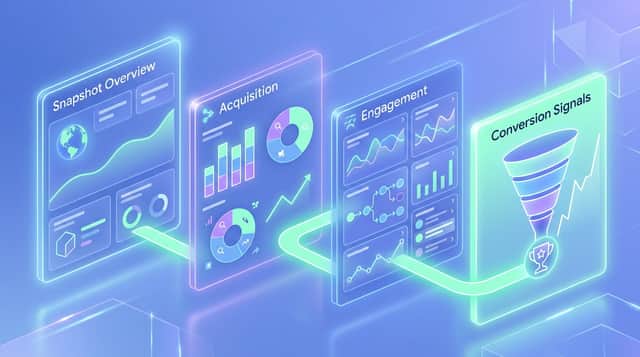
A screen-by-screen guide to reading GA4 standard reports: the snapshot, realtime, the life-cycle reports (acquisition, e...


